

Every way your people move.
Your rules.
Run a steps-only challenge, or let swimming, cycling, yoga, strength training and other activities contribute too. Choose the leaderboards and entry options that fit your team.
Your phone is enough.
No fitness watch required.
Join LifeForm with an iPhone, Android or Huawei phone. Connect your phone’s supported health app to bring your recorded steps into the challenge.
Everyone can take part in LifeForm with just their smartphone. No fitness watch, tracker or special equipment is needed. Whether employees use an iPhone, Android or Huawei phone, they can connect their phone's supported health app to automatically record their steps and compete in the challenge. All you need to get moving is your phone.
Have a fitness watch? Bring that too.
LifeForm connects with all health platforms and fitness services, so you can take part with your supported phone or wearable.
 Apple HealthiPhone & Apple Watch
 Health ConnectAndroid health platform
 Google Health - FitbitGoogle Health / Fitbit connection
 GarminGarmin account connection
 Huawei HealthHuawei phones & wearables
More fitness apps, connected through your health platform.
Connect through Apple Health or Health Connect, depending on your phone and fitness app. Available steps and workouts depend on the app’s sharing support and permissions. Examples include:
These are just a few examples. LifeForm is compatible with a wide range of fitness trackers, smartwatches and health apps, with many more devices supported through Apple Health and Health Connect.
 Samsung Health
 Suunto
 Strava
 Polar Flow
 WHOOP
 MyFitnessPalConnection information for MyFitnessPal More about MyFitnessPal
MyFitnessPal can share logged cardio through Health Connect, but does not forward workouts imported from other apps or export exercise to Apple Health.
 Nike Run Club
 Oura
And many more. If your fitness app shares compatible activity data with Apple Health or Health Connect, ask us to check the connection for your challenge.
The data available depends on your device, phone, app and sharing permissions. An app must share the relevant data with your health platform for it to reach LifeForm; not every app shares every activity type. We’ll help you check your setup during onboarding.
Keep the focus on steps.
LifeForm makes it easy to build a challenge around what matters most: getting people walking and moving more. Every step recorded by a connected phone, smartwatch or fitness tracker contributes to participants’ progress, helping them climb the leaderboard and work towards their objectives.
We call these “true steps”.
It’s a simple, inclusive way to encourage everyday movement, build healthier habits and inspire a little friendly competition—one step at a time. Organisers can also choose to allow participants to manually enter their steps, offering even more flexibility in how people take part.
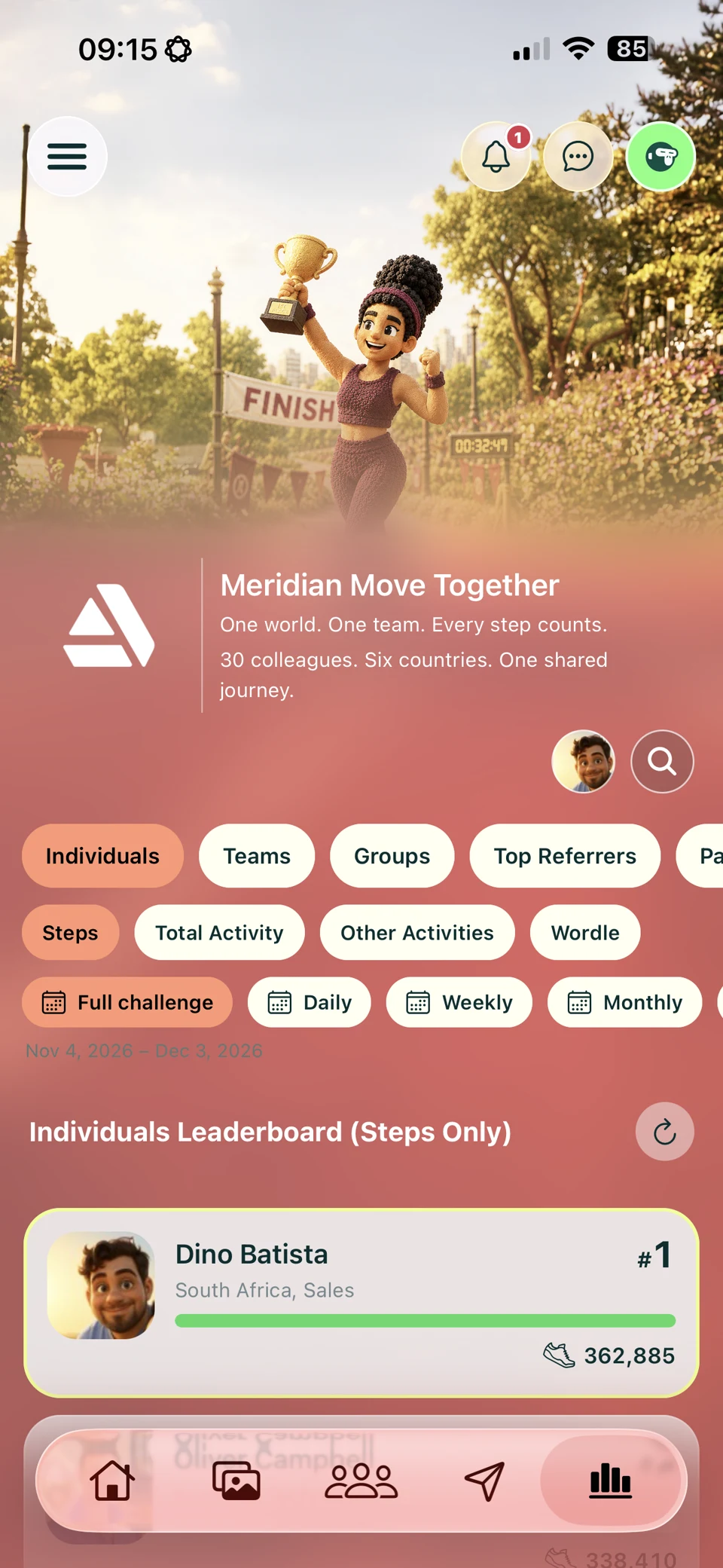
Make room for the activities people love.
Take your step challenge even further by giving employees more ways to get active and contribute. LifeForm can turn activities (70+) such as swimming, cycling, yoga and strength training into equivalent steps, so every workout can help participants climb the leaderboard and move their teams closer to their goals.
Workouts are automatically imported from supported fitness devices and health platforms, making it easy to recognise movement beyond walking. Your organisation decides whether to enable activity conversion, while the activities available depend on each participant's connected device, app and permissions.
Explore supported connections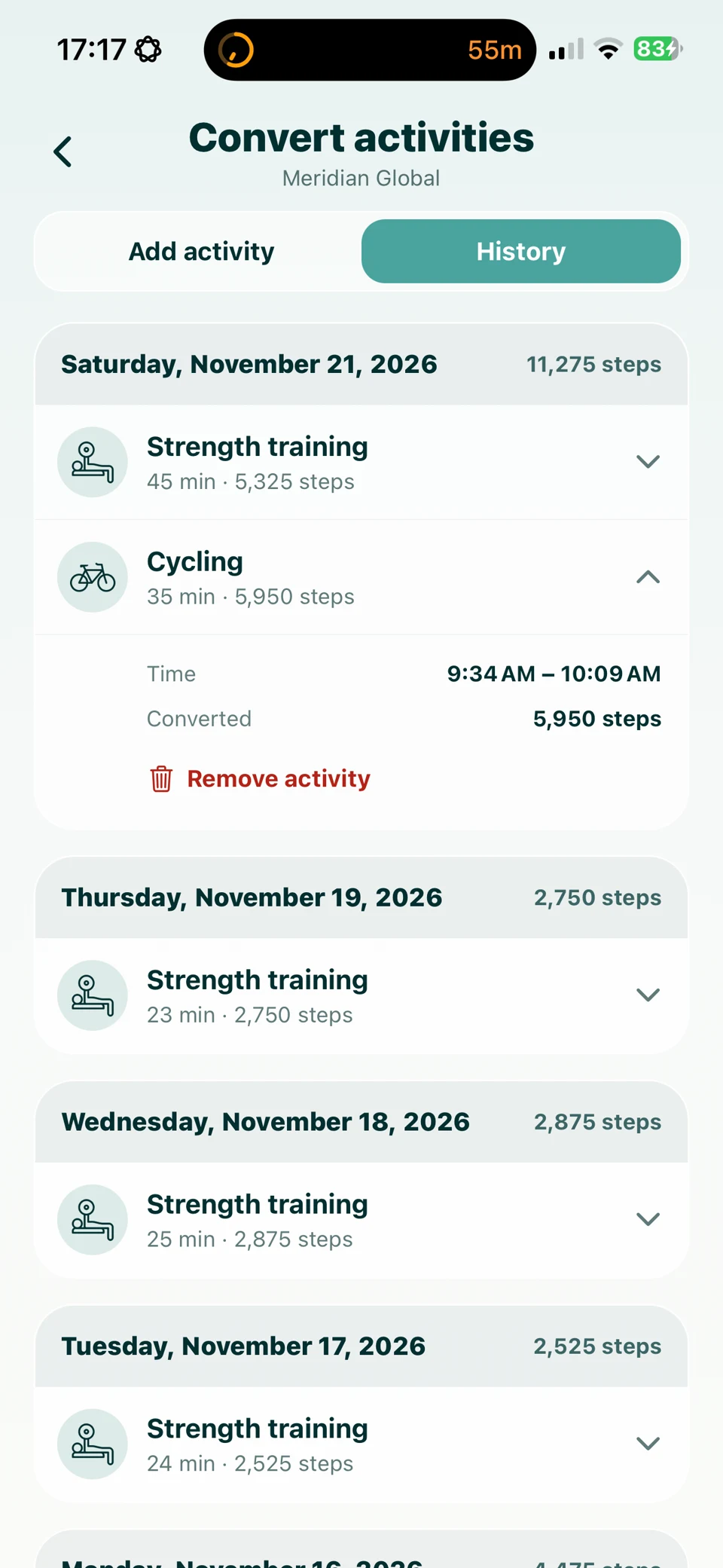
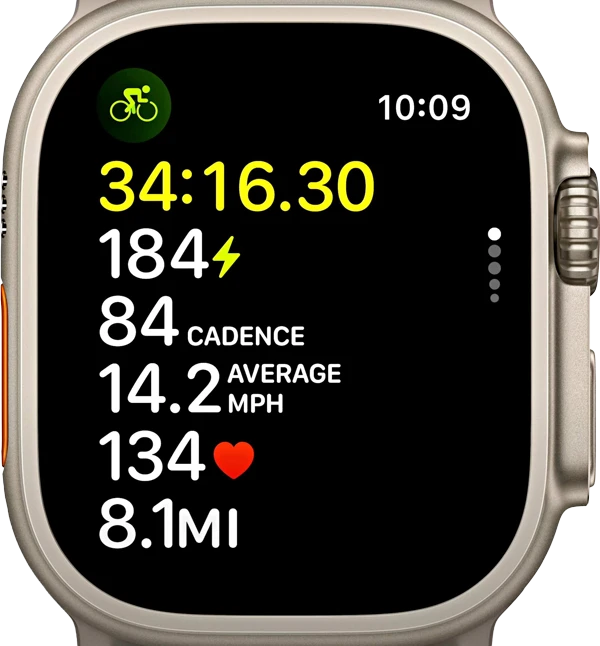
Choose which leaderboards to recognise.
Every challenge is different, and LifeForm gives you the flexibility to celebrate what matters most.
From individual step counts and team rankings to workouts, total activity and participation, choose the leaderboards that suit your goals.
Give employees more ways to compete, recognise different achievements and keep the friendly competition exciting across teams, departments and countries.
One challenge. Many ways to shine.
Try it for yourself! Explore the interactive leaderboard to see how different views bring different achievements and top performers into the spotlight.
Fictional people, scores and company groups. Organisers choose which leaderboards to enable.
Recognise participation, not just performance.
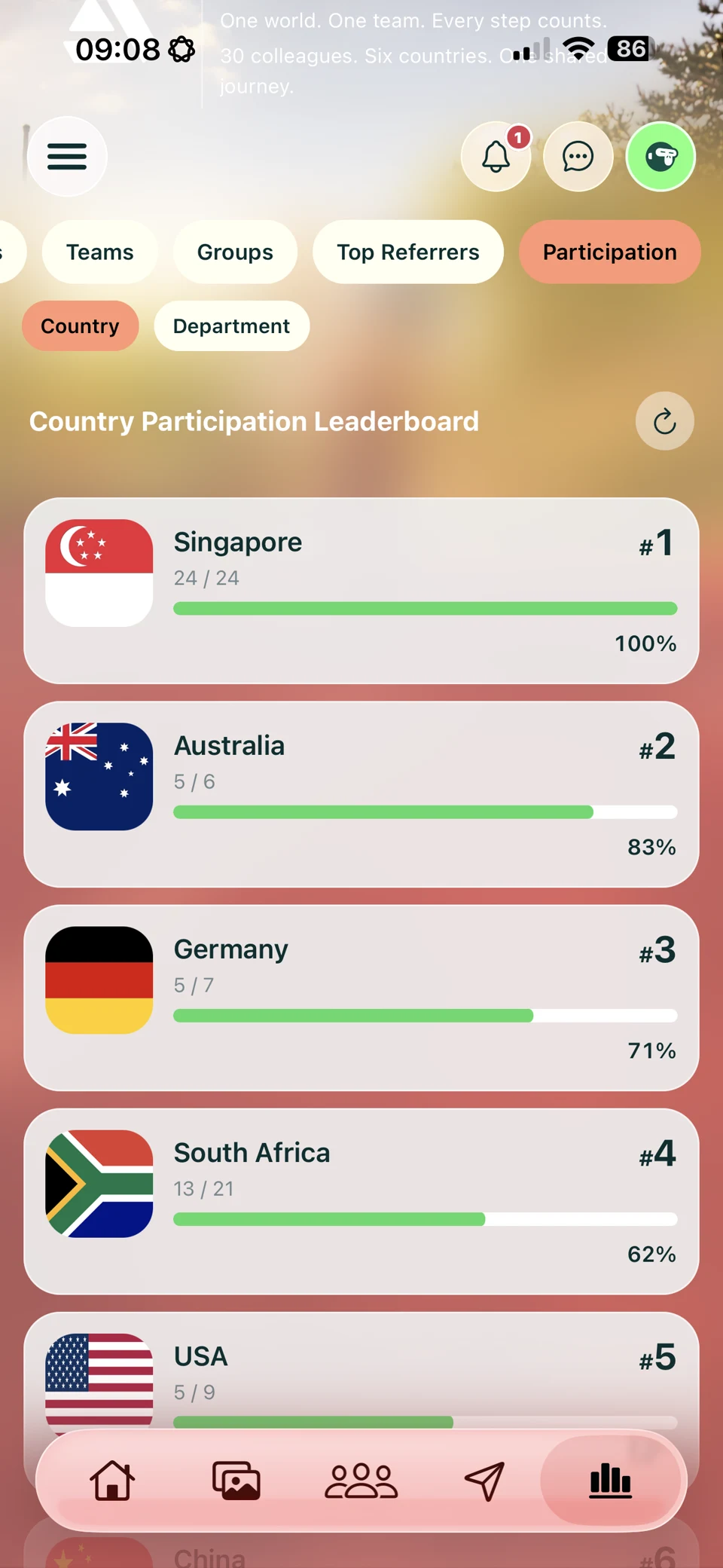
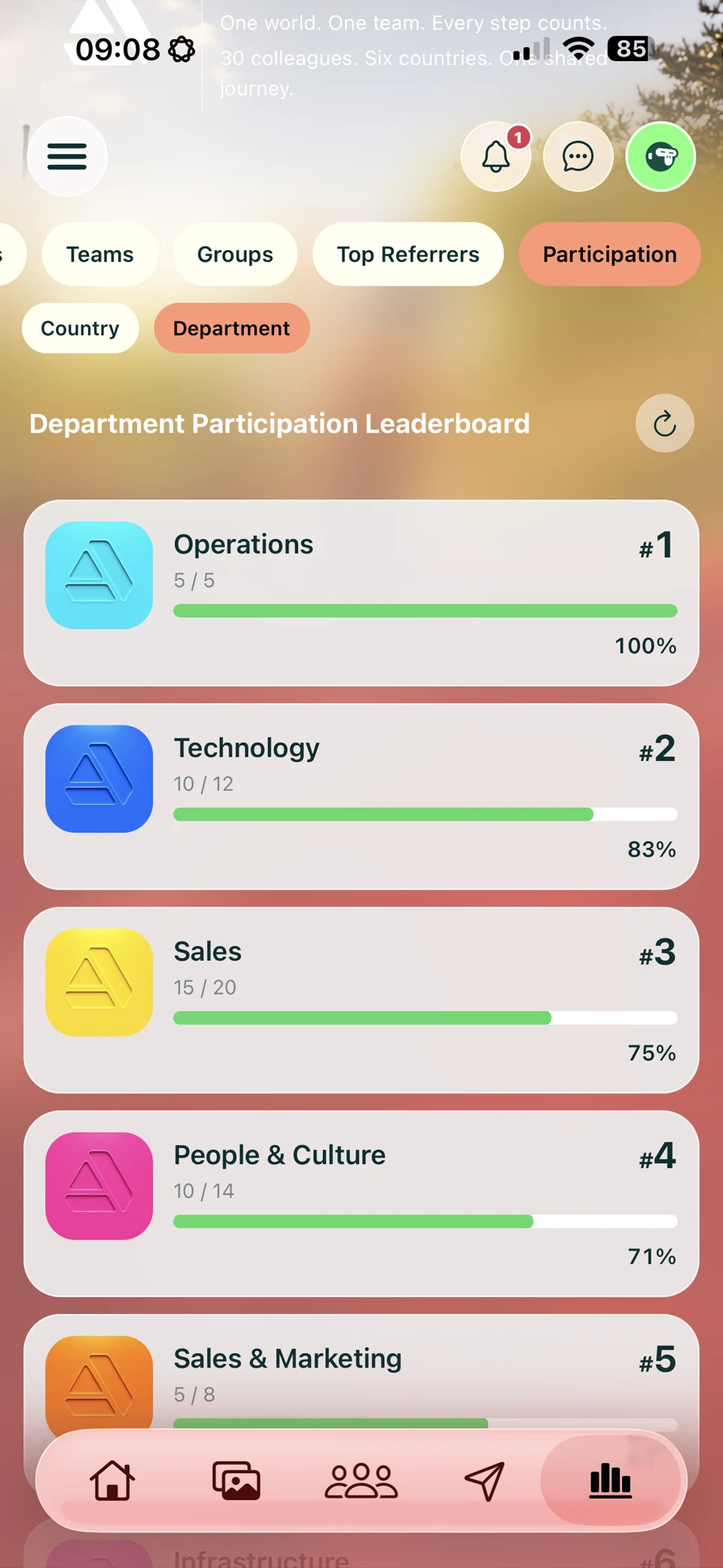
The Participation Leaderboard is a friendly competition between departments, business units, teams or even countries to see who can get the highest percentage of their employees involved. It's not about who's walking the most steps, but who's doing the best job of bringing their people together. And because rankings are based on participation percentages, smaller teams can compete fairly against much larger ones.
Think of it as a challenge before the challenge! We've seen how this leaderboard can boost sign-ups, spark conversations and encourage colleagues to reach out to one another—even across offices, countries and continents. It's a fantastic way to build camaraderie, create new connections and get entire teams rallying together before the first step is counted.
Celebrate the groups leading the way, encourage those falling behind and give everyone a reason to get involved.
More sign-ups. Stronger teams. A challenge that starts with everyone on board.
There's a leaderboard for that.
Shared interests can bring people together, even when they work in different departments, offices or countries. LifeForm's activity-specific leaderboards help employees discover colleagues who enjoy the same activities, creating new connections and friendly rivalries beyond the main step challenge.
With over 70 activities to explore, from cycling and swimming to yoga, Pilates and strength training, there's something for almost everyone. Employees can see how they compare with others who share their interests, celebrate achievements and find new reasons to stay active.
This clip demonstrates switching between the strength training, cross-country skiing, cycling, Pilates and tennis leaderboards, with activities recorded by participants on their connected devices.
Make room for more participants.
In workplaces where phones or fitness devices are restricted for safety or security reasons, LifeForm allows organisers to enable manual step entry and activity conversion, ensuring these employees can still contribute to their team's progress, compete on the leaderboards and be part of the challenge.
Choose the right balance for your team
Manual entries rely on participant honesty and can be misreported. They make participation more flexible, but introduce a trade-off when comparing results.
For an inclusive participation programme, that flexibility may be valuable. For a more competitive challenge, organisers may prefer device-recorded activity and disable manual entry. Choose the approach that suits your needs.
No compatible connection? Your steps can still count.
LifeForm supports participation across countries, including China. Different phones, local apps and available health platforms don’t have to leave employees outside your company challenge.
Download LifeForm, wherever your team is based
Android: Where the Google Play Store is unavailable, participants can download the LifeForm APK and install the app directly.
iPhone: LifeForm is available in all App Store regions, including China.
We’ll help your team choose the right download option and connect their supported fitness apps or devices. If a phone or fitness app cannot connect to a supported health platform, screenshot-based step submissions offer another way to take part.
When devices can't connect, people still can.
Even in countries with restricted digital ecosystems, or workplaces where conventional fitness integrations aren't available, LifeForm finds a way to bring everyone into the challenge. If a phone or fitness app cannot connect to a supported health platform, participants can simply upload a screenshot of their daily steps—even from local apps in markets like China.
LifeForm analyses each screenshot to identify step counts and check for signs of manipulation. Once accepted, those steps contribute to the participant's progress and their team's leaderboard position, just like steps recorded through connected devices.
Discuss your team’s phones and locations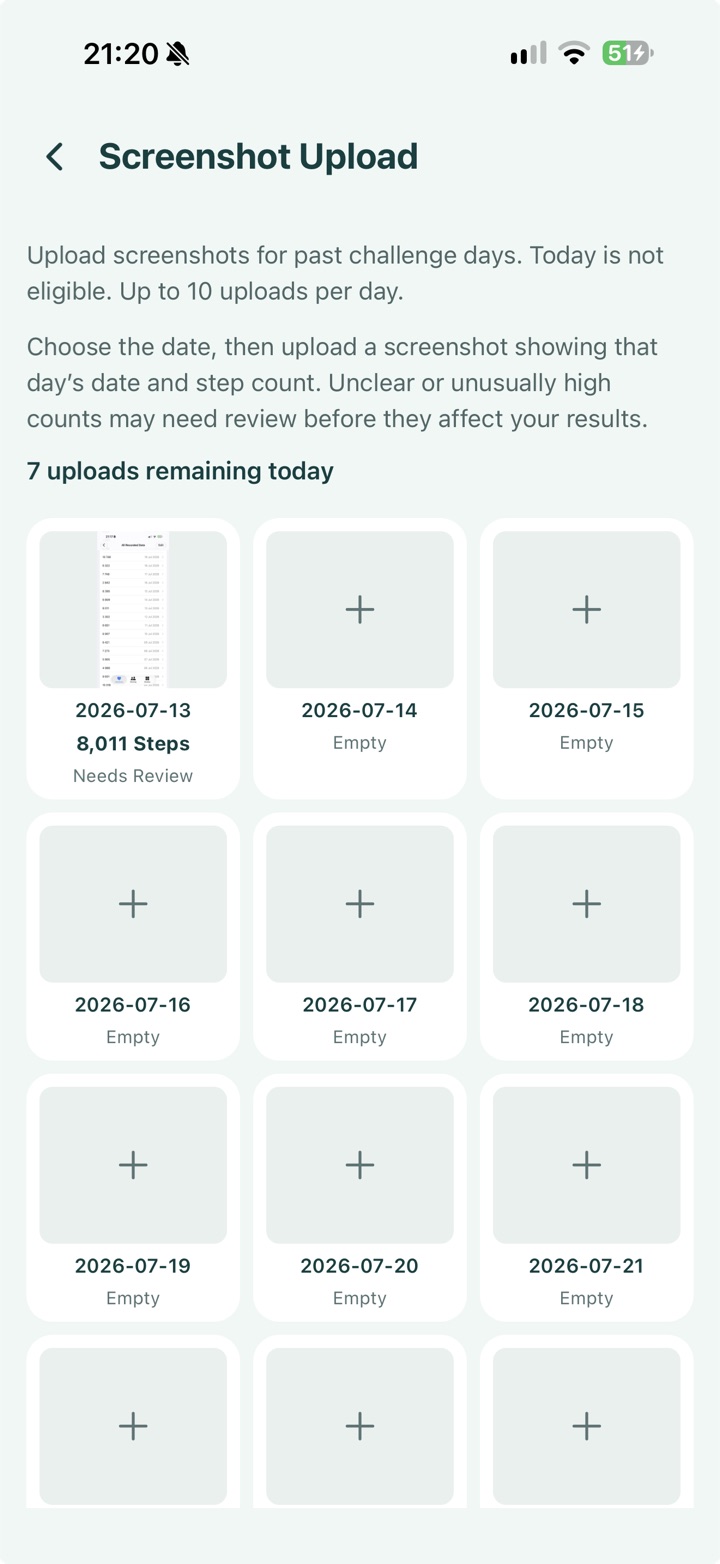
Working with LifeForm was a great experience. Their team listened to our objectives and customised the challenge to create the right experience for our employees. The platform worked well across multiple countries, making it a perfect fit for our global physical wellbeing festival.
A challenge that fits your people.
Explore tracking, conversion and leaderboard options in a demo. LifeForm can then run your challenge, from launch materials and onboarding to events and reporting.